
I just posted the latest and greatest (*hust*) changes to Sparkle, so all users will hopefully see a update warning the next time they start up their tools. I also uploaded these versions to the stable directory. Have fun, gimme lots of feedback!
09/03: German Intro Video
September 3, 2009
At last year’s Macoun Conference for Mac OS X developers I held a session about Localization that included a motivation and a introduction to the Localization Suite. While the slides have been out there quite some time, the session video has still been pending. But now it’s time for the Showtime!.
Have fun!
: New interface preview
September 3, 2009
I know I mentioned it earlier – but now it’s ready for prime time. Two days of work were left, but now it’s one of the best things I’ve done for the Loc-Suite!
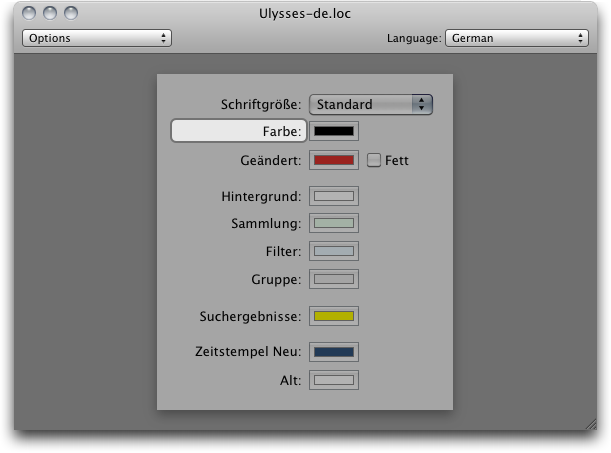
You can see a lot of the nice new features here:
- It finally has a great look with the preview being embedded in a window. (The window is scrollable!)
- The currently selected object has a stunning highlight much more reliable and better visible than before.
- You / the user can click in the window to change object selection!
- Multiple root items in a nib file can be chosen from the upper left.
- All available languages can be selected in the upper right, immediately translating the interface as far as possible!
As this view builds on top of a very very powerful preview creation framework, a lot more previews are possible: Unknown classes will be substituted by known superclasses. If you have a custom interface builder plugin, it will be loaded automatically as well!
This preview will be available shortly – in a new nightly build. I plan to release this as an update very soon, too. We’re getting closer to fc…
Max
07/30: Xcode export finished
July 30, 2009
I just finished up the export to Xcode projects. As described in the last post, you are now able to just say “I want all localizations above 90% in my project, all others removed”. And you’re done. No longer waisting hours to make sure your project is up to date after a localization round! Gimme feedback 
07/20: Brand-new Xcode project import
July 20, 2009
Hello. I’ve been progressing quite well on this particular feature during the past days and here I present to you: the brand-new Xcode project importer. You will probably not notice a single difference at first sight, except a small option in the open panel and maybe that is is way more robust and reliable than the previous one.
However, this importer is not only a importer. Basically what it does is to load the Xcode project and to construct an object tree from the complete file tree. And now the best: this object tree is mutable. Mutable as in add/remove files, groups, folders etc. I’ll use this functionality to implement a feature to export your localization to an project. Like say files translated at least 80% in a language translated at least 80% should be in the project and all others not. Done. No more hassle going through your big projects, just single click away.
You will be able to get this feature in the tomorrow’s nightly build of the Localization Manager. Let me hear what you think!
have fun, Max
06/29: Current progress
June 29, 2009
So not that you think the development has stalled again, here’s a update on what I am doing right now — besides fixing several bugs from time to time (as they are brought up to me).
I am currently rewriting or upgrading the whole matching, error checking and auto-translation stuff from Localizer. This has all been transfered to a new Framework (yay, another one) calles LocTools – Localization Tools. Hosting a nice number of Unit tests, I finally rest assured it works the way I wnat it. Will make debugging a lot easier in the future.
Including the completely new Interface Preview I began during last autumn and this spring, these upgraded and now finally good-shaped pieces of code will make up the Localizer of version 3. Basically I am now doing the same to it like I did to the Localization Manager.
Next up: A working preview. After that: finally a remake of the Localization Dictionary – this is in urgent need of that.
I’d love to hear your comments!
Max
05/20: New logging facility
May 20, 2009
Hey,
the Loc-Suite now features a new Logging facility. This means we no longer have the regular text log that is also written to a file, but now a tree-based logging with error levels. Just like the Xcode compile log, each action log can consist of multiple inner log items. Each of these items has a level (none, warning, error) that is propagated upwards. Now here come the nice things:
- Using these levels I can express ibtools error and warning messages!
- When a warning appears, the window will automatically open!
- Even the string parsing can easily be verified by the user: Warnings and errors will pop up.
I hope you find it as useful a I do. I’d love to get some feedback!
Max
: Moving to Sparkle
May 20, 2009
Hello,
the latest nighly build now features the Sparkle framework in both the Localizer and the Localization Manager. As soon as we see this release is stable I will also move this to the stable directory, ready for the big screen. The update cycles will then go with the stable development releases, which means version number changes.
Please send me your feedback on the current builds, I am eager to fix bugs 
Max
04/27: Release Builds
April 27, 2009
You can get the newest development builds (the ones which should be somehow stable) from this directory. Testers are very welcome. I will probably announce important new version here, so keeping an eye on this site will be sufficient.
Max
: Nightly Builds
April 27, 2009
We finally have public nightly builds. You can get them here.
Disclaimer: while we take no warranty for all applications, we take explicitly even less warranty for nightly builds. Use them at your own risk and not in production environments, etc blah…
Have fun 
Max


